

Let your agent do it
Let your agent do it
To run this guide from your terminal or your coding agent, run
npx checkly init in your project first. It installs the Checkly CLI and Checkly Skills for your agent. Then paste the prompt below into Claude Code, Cursor, Codex, or any agent that supports skills. It builds the same setup as this guide, proves it with npx checkly test --record, and stops for your confirmation before npx checkly deploy.1. Give both checks an environment URL
Before you begin
Before you begin
Complete the quickstart first.Your deployment provider must publish GitHub deployments for each PR head commit, with a successful status and a reachable
environment_url. The preview workflow looks for the environment named Preview; change that name to match your provider. Production deployments must set production_environment: true.Store your Checkly API key as the GitHub Actions secret CHECKLY_API_KEY, and your account ID as the variable CHECKLY_ACCOUNT_ID. Use a key for the account that owns your deployed checks. These examples need trusted PRs with access to that secret; fork PRs do not receive repository secrets.samples/guides/checks-on-deploy in your repository and run npm ci there. Keep this directory layout for the workflows below.
The sample’s checkly.config.ts selects __checks__/**/*.check.ts, sets a ten-minute schedule, and tags both checks guide-checks-on-deploy:
__checks__/shop.check.ts
__checks__/shop.spec.ts
Terminal
Terminal
repoUrl in checkly.config.ts to your repository. Deploy with the production URL, since trigger uses the URL monitor’s saved request URL.
2. Test the ready preview before merging
Copy this workflow from the sample into your repository’s root.github/workflows/. It waits up to ten minutes for a successful Preview deployment of the PR head commit, then runs npx checkly test through the Action.
.github/workflows/checkly-preview.yml
env.ENVIRONMENT_URL supplies the URL monitor at build time; with.env passes it to the browser at runtime. Neither changes the deployed production checks.
With reporting: auto, a connected Checkly GitHub App can report asynchronously through Checkly preview results. Otherwise, the Action waits and reports through Checkly preview job. Follow the GitHub Actions integration to connect the app from your Checkly account.
3. Validate each production deployment
Copy the second workflow into the same root workflow directory. Your deployment provider must emit a successful GitHub deployment status for every production release..github/workflows/checkly-production.yml
npx checkly trigger against deployed checks with the sample’s tag. reporting: github-actions waits and fails the validation workflow if a check fails. It also fails if no checks match. This happens after deployment; it does not roll back the release or change an already completed deployment job.
The Action supplies commit metadata from the event. Checkout uses the same SHA, and CHECKLY_REPO_BRANCH preserves the deployment ref. Have your provider send a branch name as that ref if you want a branch label rather than a SHA. CHECKLY_TEST_ENVIRONMENT fills the session’s Environment field; ENVIRONMENT_URL selects the browser’s target.
For local runs, the CLI reads git metadata from your checkout and repoUrl from the project config. Uncommitted edits are tested, but the recorded SHA still identifies the current commit. Commit your checks before using that SHA to reproduce a run.
CHECKLY_RUN_SOURCE describes what started a run, not its environment or commit. In Playwright Check Suites, recorded CLI tests use TEST_RECORD, recorded triggers use TRIGGER_RECORD, and scheduled runs use SCHEDULER. A GitHub Action running trigger is still TRIGGER_RECORD; DEPLOYMENT denotes a Checkly deployment hook. This sample’s Browser Check did not expose that variable, so it logs the target URL instead.
Verify it works
From the sample directory, intentionally use a wrong path. The local variable changes the URL monitor’s build;--env changes the browser’s runtime target:
Terminal
Terminal
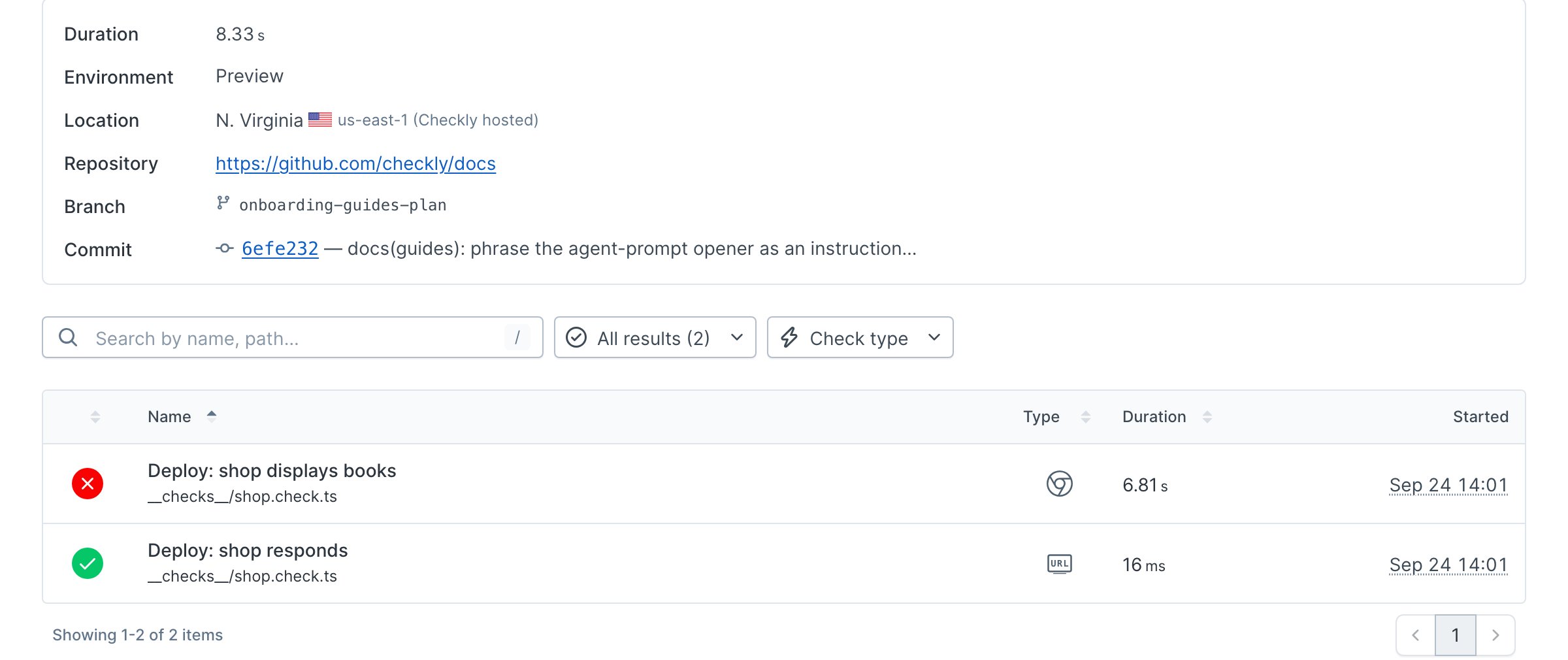
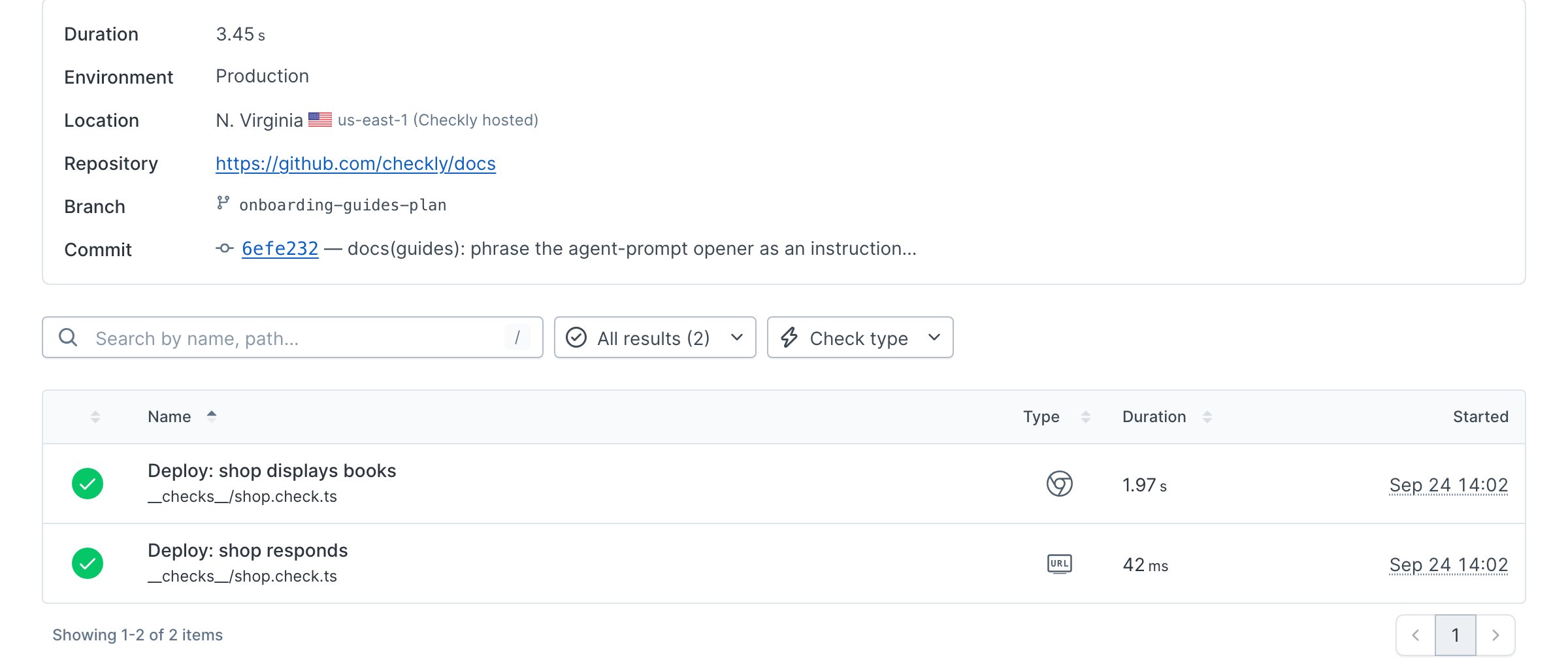
Terminal
Terminal
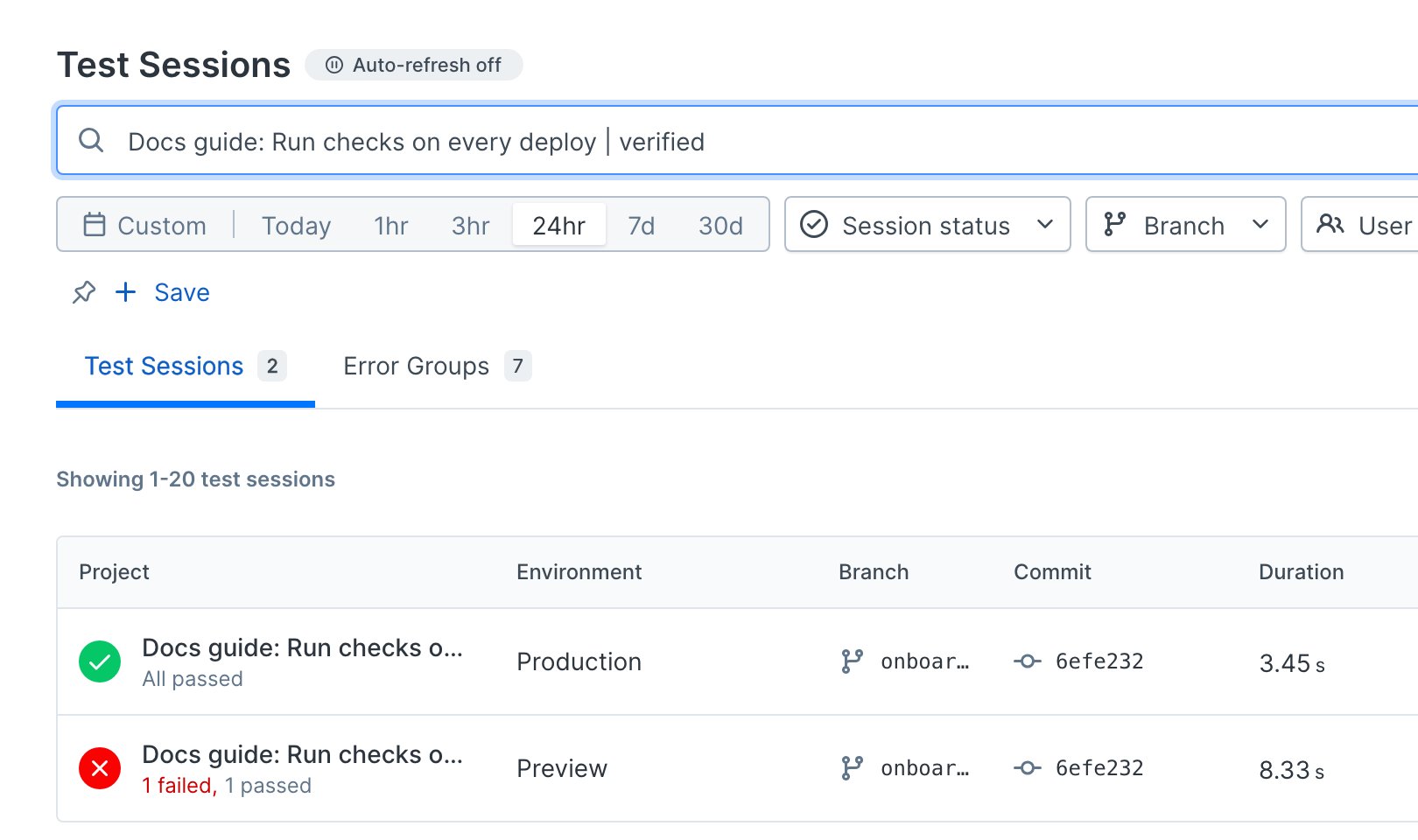
npx checkly trigger --tags guide-checks-on-deploy run. Both workflow files were parsed as YAML; they were not executed in CI. After configuring your provider and secrets, open a PR and deploy to production to verify both workflow paths in your repository.