

Let your agent do it
Let your agent do it
To run this guide from your terminal or your coding agent, run Every step below is what the agent just did, in the open, so you can read the result or do it by hand.
npx checkly init in your project first. It installs the Checkly CLI and Checkly Skills for your agent. Then paste the prompt below into Claude Code, Cursor, Codex, or any agent that supports skills. It builds the same setup as this guide, proves it with npx checkly test --record, and stops for your confirmation before npx checkly deploy.Prompt
Step 1: Pick the tests that become monitors
Not every test belongs in production monitoring. The sample has three: a search, a checkout, and a signup. Signup creates accounts, so it stays in CI. Search and checkout are what you want to know about within minutes, so they get a@monitor tag.
tests/checkout.spec.ts
CHECKLY=1 on every run, which is the one switch you need to point monitoring at production while local runs keep using your dev server.
playwright.config.ts
baseURL makes the same page.goto('/') hit production on Checkly. maxFailures: 1 stops the run at the first failure so the alert goes out sooner. retries absorbs a transient network blip before it becomes an alert. Checkly records a trace on every run regardless of your trace setting.
Step 2: Define the monitor
Install the CLI if this repository does not have it yet, then describe the monitor in acheckly.config.ts next to your Playwright config.
Terminal
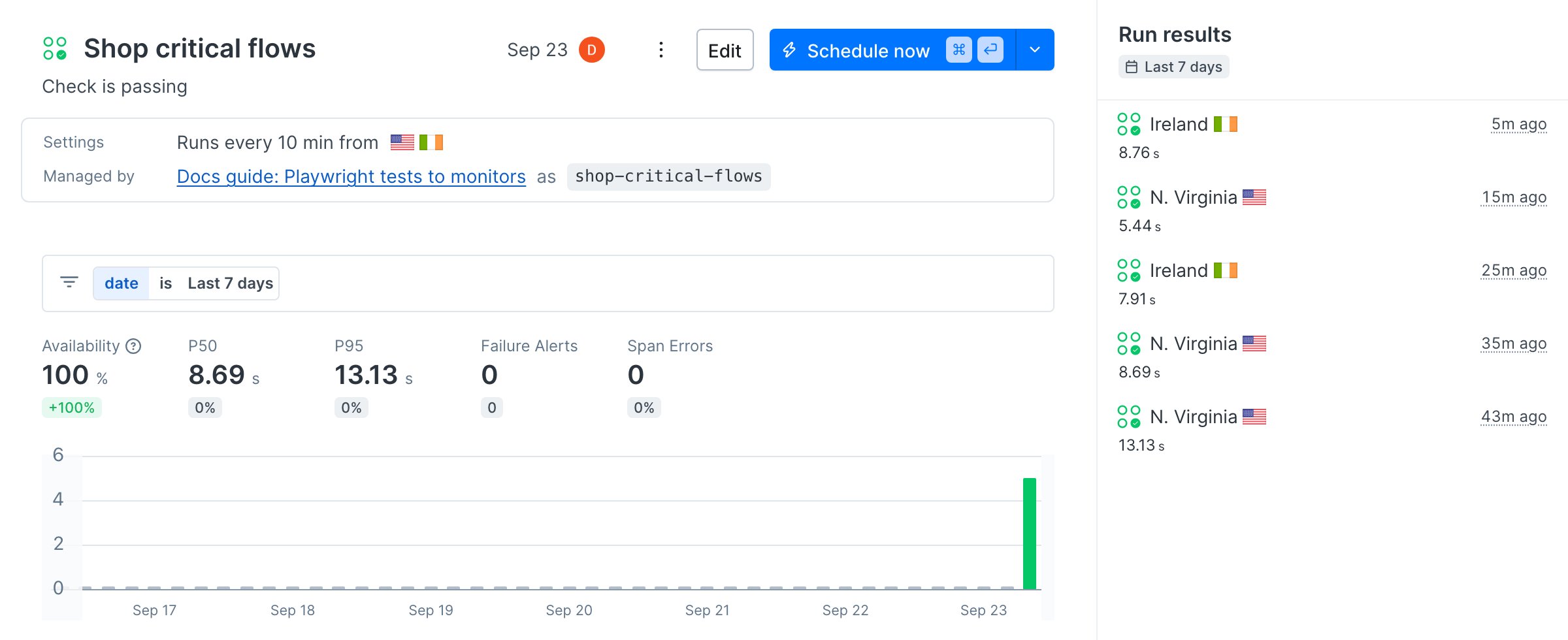
pwProjects entry selects the monitoring project, and the suite runs every ten minutes from Virginia and Ireland. The Browser Check path needs a copy of the spec with page.goto('https://danube-web.shop/'), because there is no playwright.config.ts to supply baseURL. The sample keeps that copy in checks/checkout.spec.ts.
Prefer to have your coding agent write this file? The Playwright Check Suite quickstart has a prompt that inspects your Playwright config and generates the
checkly.config.ts.Step 3: Run it on Checkly before you deploy
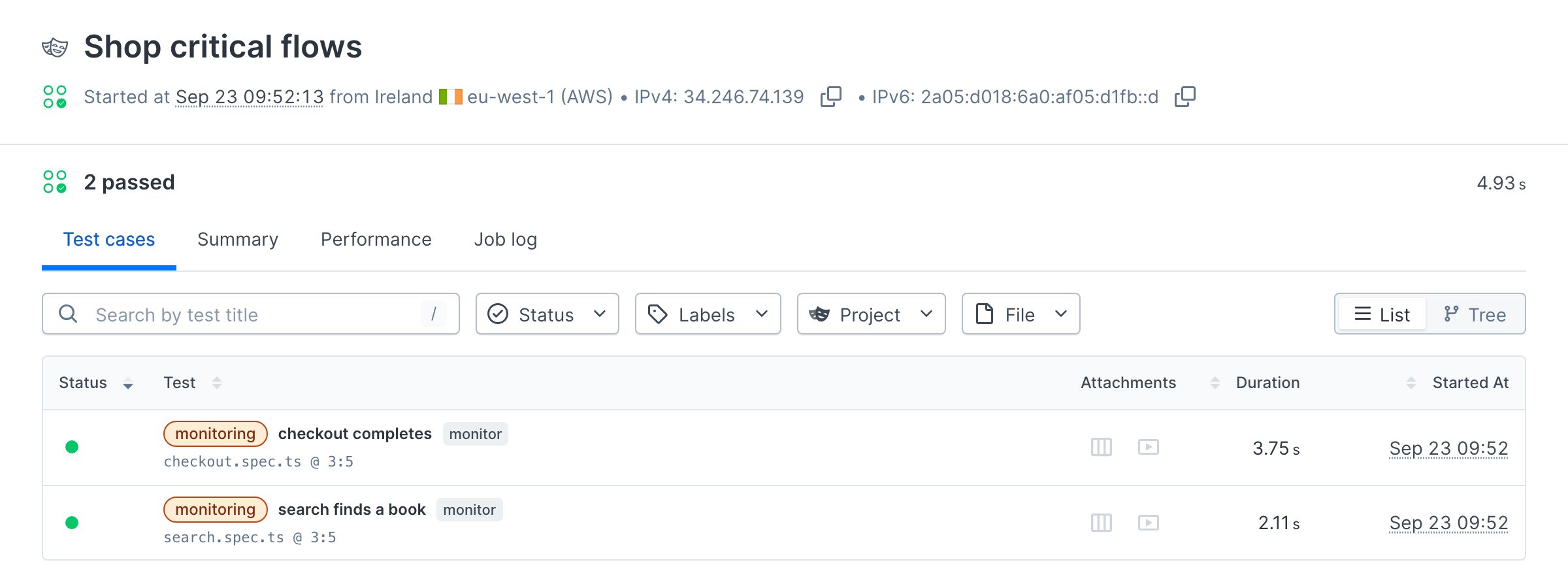
npx checkly test bundles the project, runs it on Checkly’s infrastructure, and streams the result back. --record keeps the run so you can open it in the app.
Terminal
Terminal
Step 4: Deploy
Terminal
Terminal
CHECKLY_RUN_SOURCE=CLI_DEPLOY, then every ten minutes from both locations. It appears in your check list as a Playwright check.
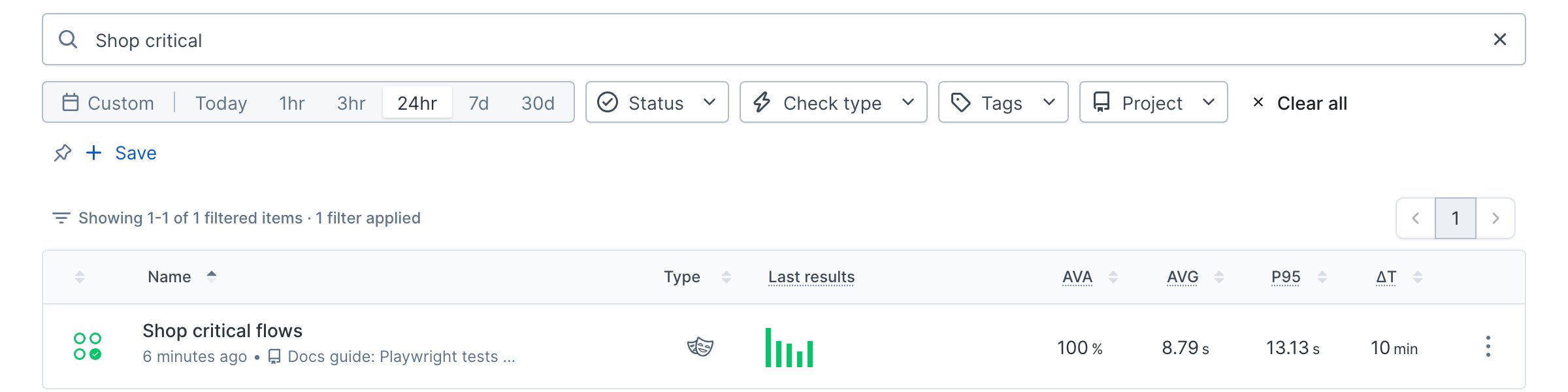
npx checkly deploy updates the suite in place, so the monitor changes whenever the tests do. Wire that into CI and the tests and the monitors ship together.
Verify it works
Break the checkout on purpose before production does. Rename theBuy button in the spec to Purchase and run the suite again, without deploying.
Terminal
Terminal
maxFailures stopped the run. The result page shows the failing step, the error, a screenshot at the moment of failure, and the trace. This is the page an alert links to.
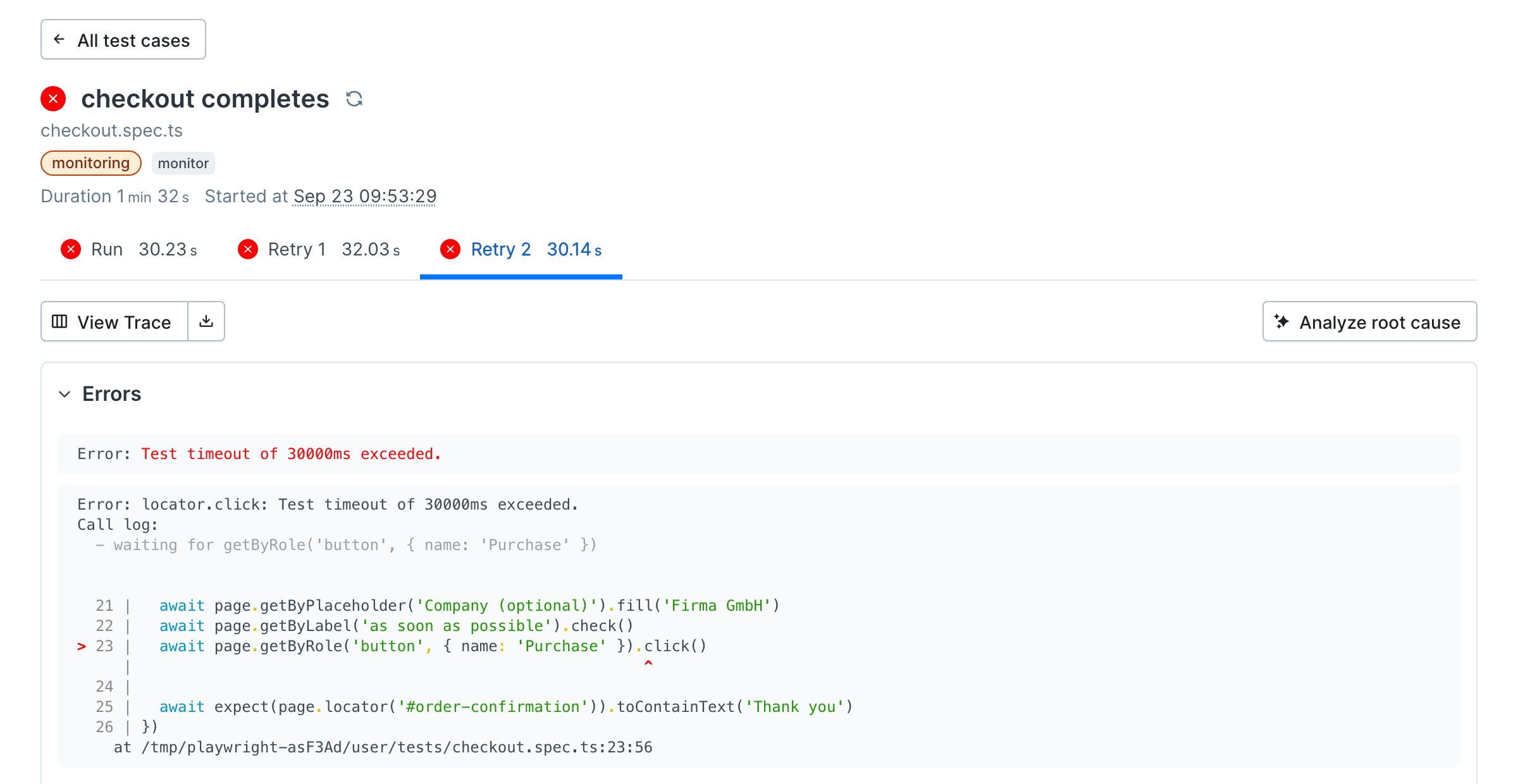
Buy back. The deployed monitor never saw the broken version, because npx checkly test runs the code in your working tree and npx checkly deploy is what changes the monitor.
--grep matches the check’s name, not its logicalId.